
Your day,
already planned.
Meetings, tasks with a date, follow-ups with your contacts and project deadlines, together in one calendar. Drag a task into your week and the time is yours.
Inside the app
Every part,
from the inside.
Real screens from the Zolu app with example data. Nothing here is a mockup.
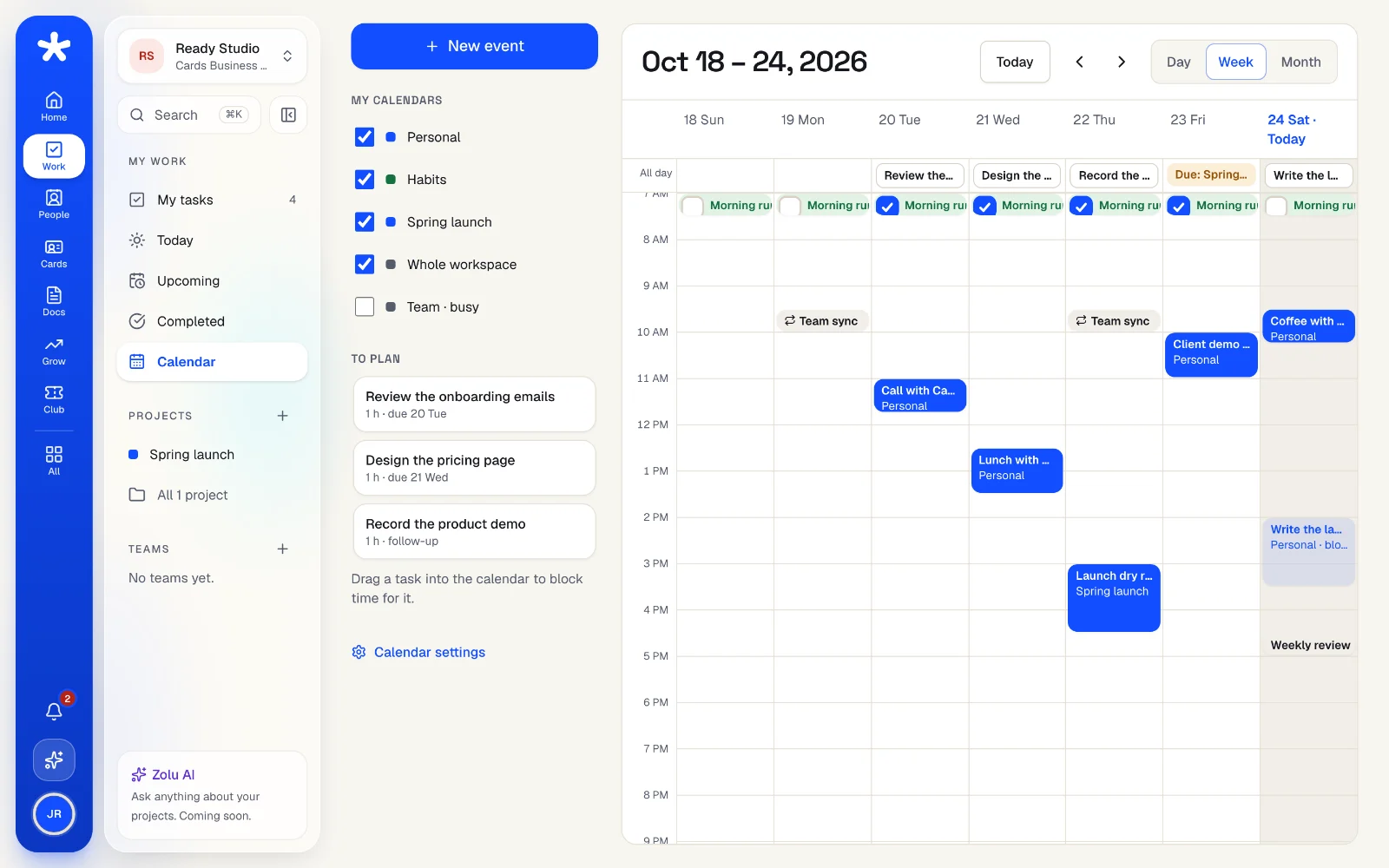
Everything with a date,
in one week.
Your meetings, the tasks assigned to you, follow-ups with the people you met and your projects' deadlines show up on their own. Nothing to copy by hand.
- Drag a task from “To plan” to block an hour for it
- The task keeps its due date: the block is only your plan
- Repeating events and habits with their streak
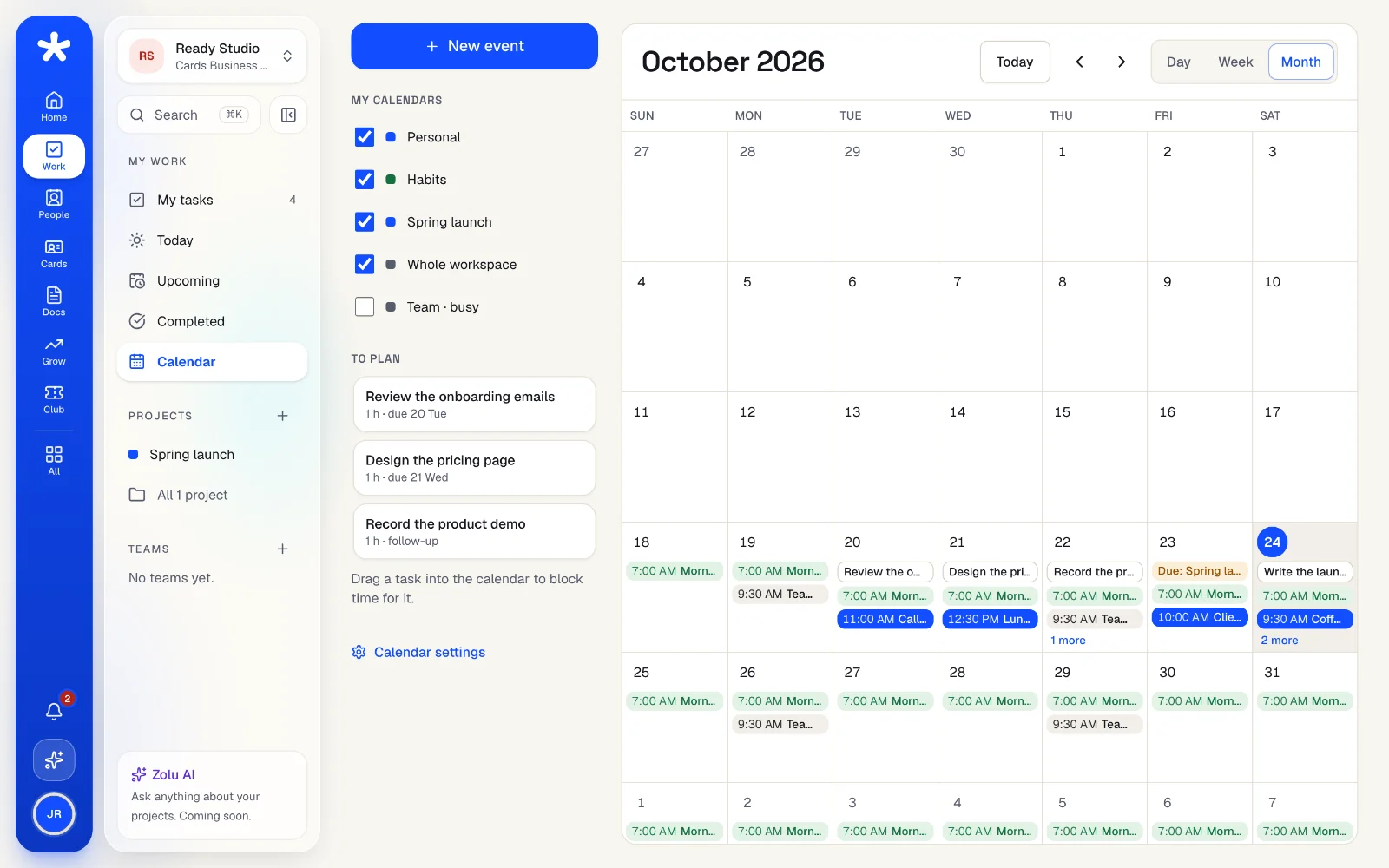
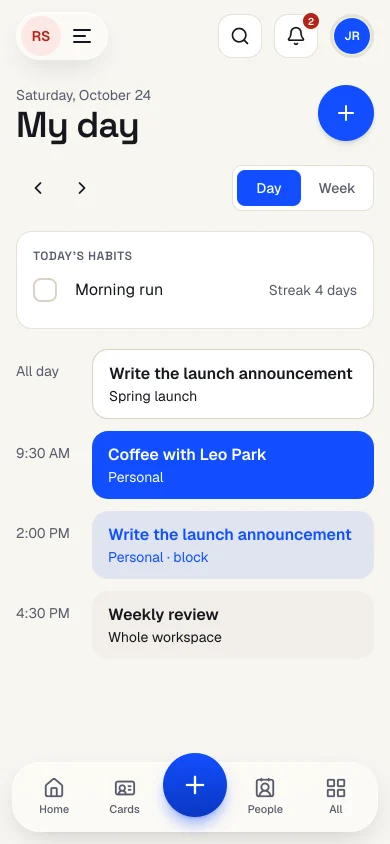
Your month on the computer,
your day on the phone.
Day, week and month views on the computer. On the phone, “My day” shows what's next, in your time zone.
- Personal and habit calendars only you can see
- Team and project calendars for everyone working on them
- Share only “Busy” with your team, if you want
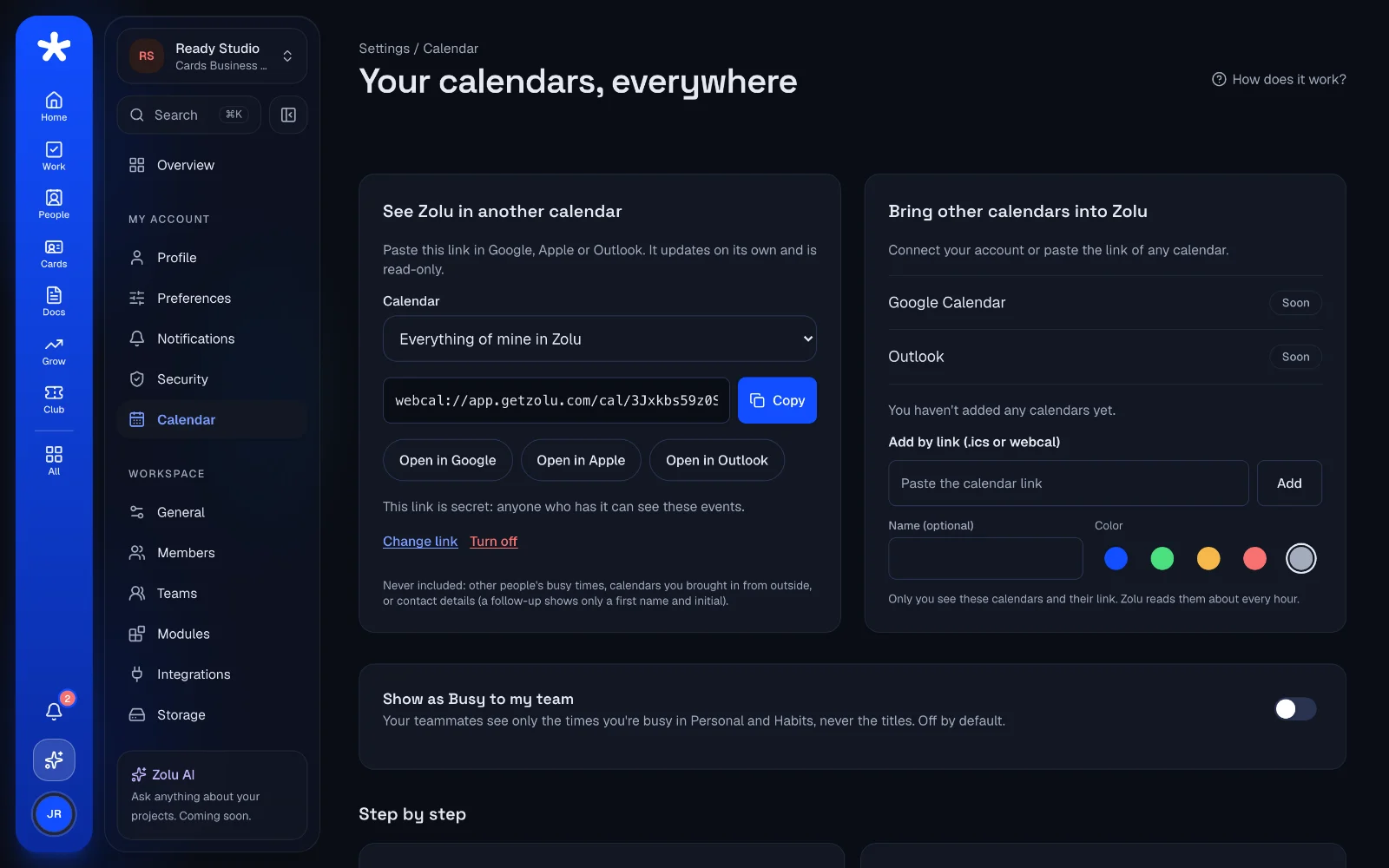
In Google,
Apple or Outlook too.
Copy your private link once and your Zolu calendar shows up in the calendar app you already use. Bring other calendars into Zolu with their link.
- Changes and deletions reach your calendar app on their own
- Turn a link off and it stops working right away
- “Add to Google” or Outlook on any single event
Everything in Zolu Calendar.
- Day, week and month views, and “My day” on the phoneFree
- Your tasks, follow-ups and project deadlines, on their ownFree
- Events, all-day events and repeatsFree
- Drag a task to block time for itFree
- Habits with a check and a streakFree
- Personal calendars only you can seeFree
- Team and project calendarsFree
- Share only “Busy” with your teamFree
- Private link for Google, Apple and OutlookFree
- Bring other calendars in by linkFree
- Connect your Google or Outlook accountSoon
“Free” means every plan. Pro includes everything in Free, and Business everything in Pro.
Your questions, answered.
Does it cost extra?
No. Zolu Calendar is included in every plan, also Free.
Does it work with Google Calendar?
Yes. Copy your private link from Settings → Calendar and add it in Google Calendar ("From URL"). Apple Calendar and Outlook work the same way. Google refreshes it on its own schedule, usually within a few hours.
Can my team see my personal events?
No. Your personal and habit calendars are only yours, not even the workspace owner sees them. If you turn on “Busy”, your team sees only the times, never the titles.
If I drag a task into the calendar, does its due date change?
No. Dragging a task creates a one-hour work block linked to it. The task keeps its due date.
Can I bring my other calendars?
Yes, with their link (https or webcal). Zolu reads them every hour and shows them next to yours. They're read-only.
From hello
to done.
Your tasks and meetings in one calendar, in minutes. Free, no credit card.