
Your card,
everywhere you show up.
A digital business card at zolu.me/your-name. Share it by QR, link or a tap of your Zolu Card, and every person you meet lands in Contacts with a follow-up task.
Four steps,
one tap each.
- 1
Create
Pick a design, add your photo, links and buttons. It saves as you type.
- 2
Share
By QR, link, a tap of your NFC card, your email signature or your video call background.
- 3
Save
People save you to their phone in one tap, or leave their details for you.
- 4
Follow up
Each new contact arrives with a “Follow up with…” task for tomorrow.
Inside the app
Every part,
from the inside.
Real screens from the Zolu app with example data. Nothing here is a mockup.
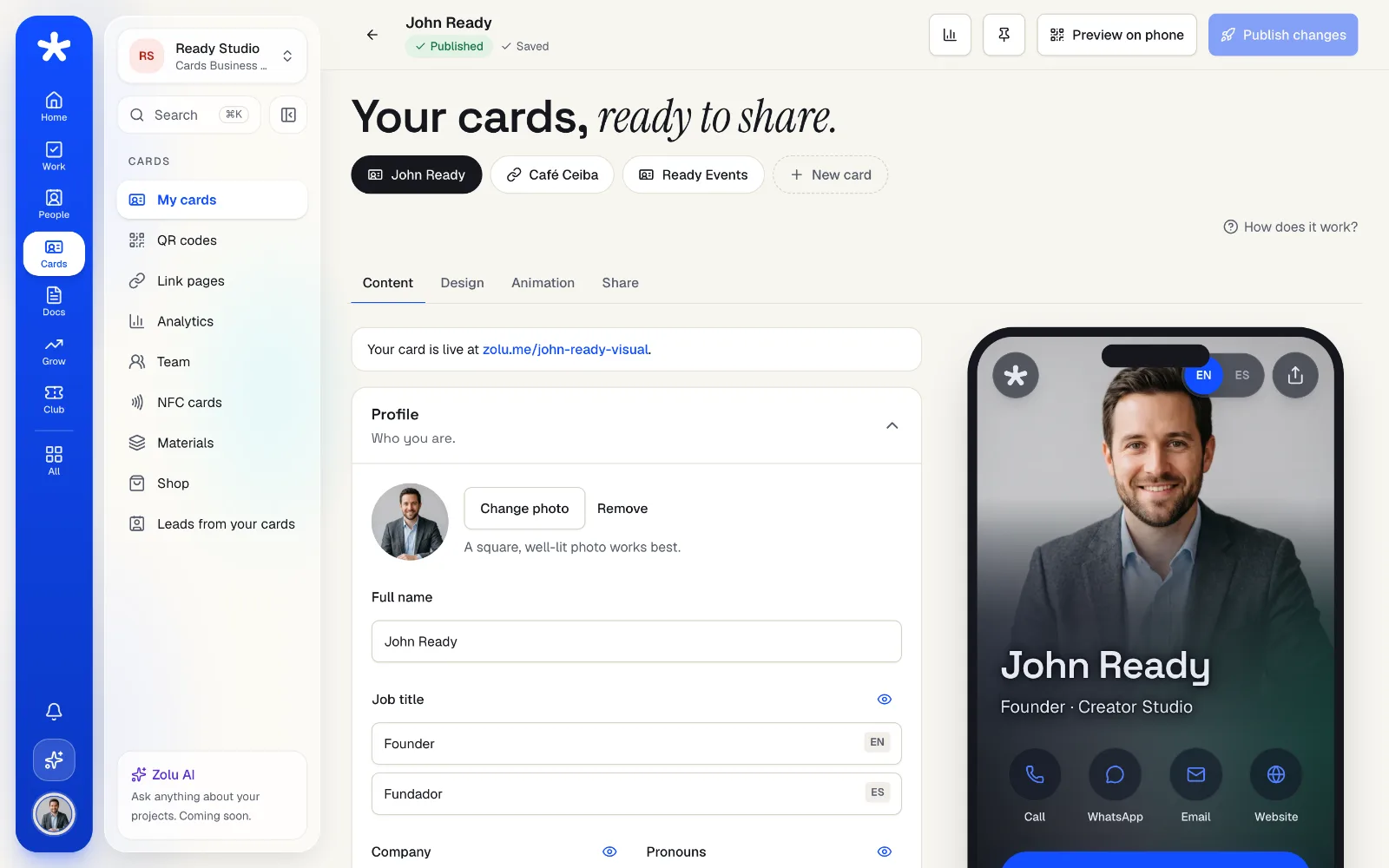
Design it once,
see it live.
Edit on the left and watch your card change on the phone. Four designs, light or dark, and an accent color that always stays readable.
- Photo, contact buttons, links and services
- English and Spanish on the same card
- Publish when you're ready: drafts stay private
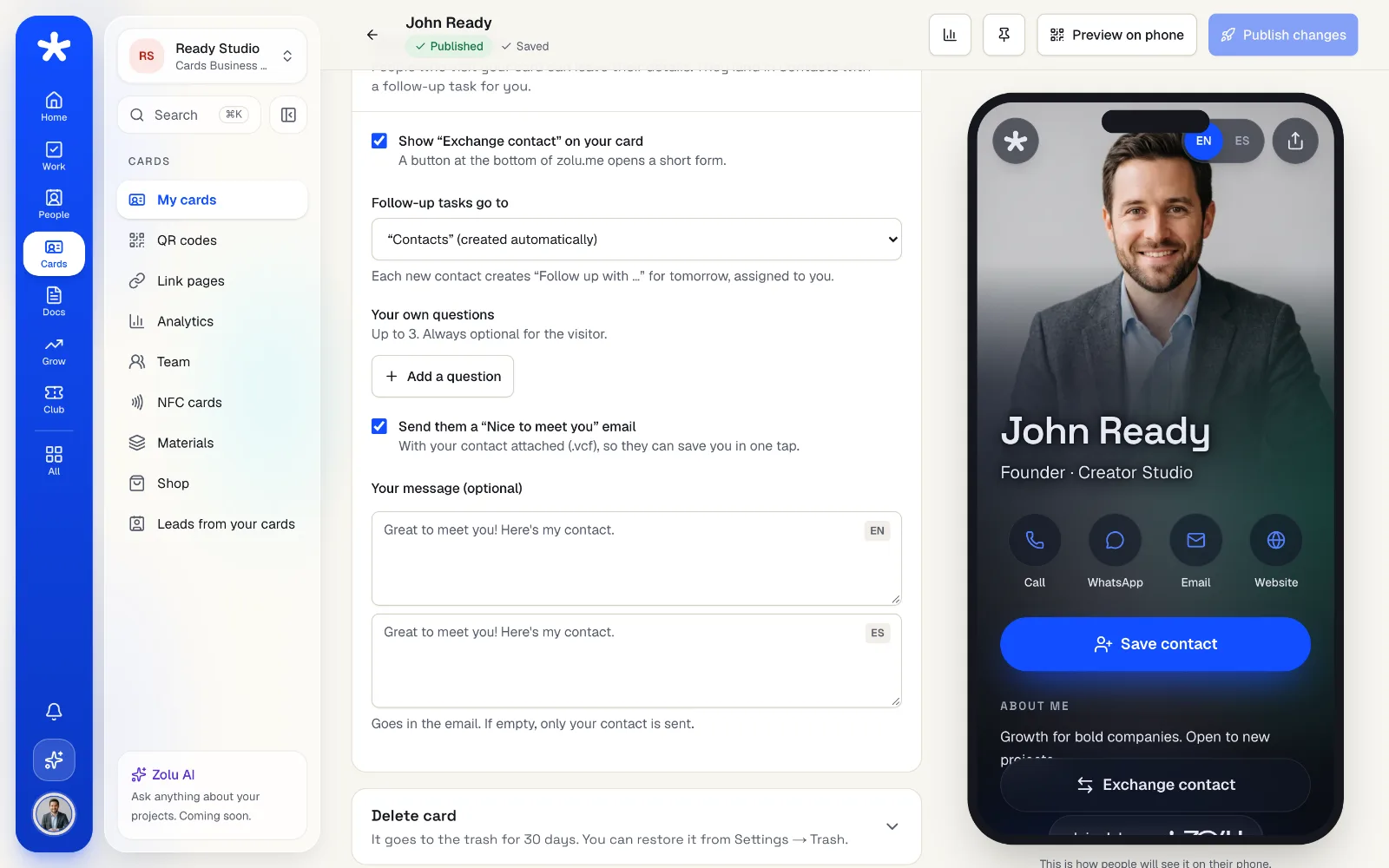
They tap,
you get them back.
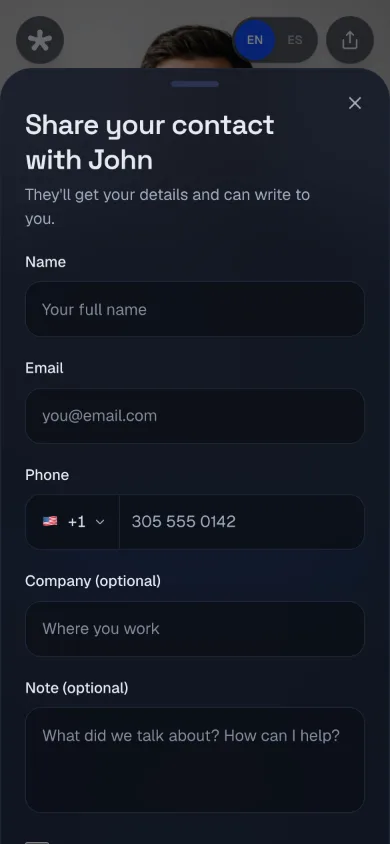
“Exchange contact” opens a short form on your card. The person lands in Contacts and you get a follow-up task for tomorrow.
- Up to 3 questions of your own
- A “Nice to meet you” email with your contact
- Spam protection on every form
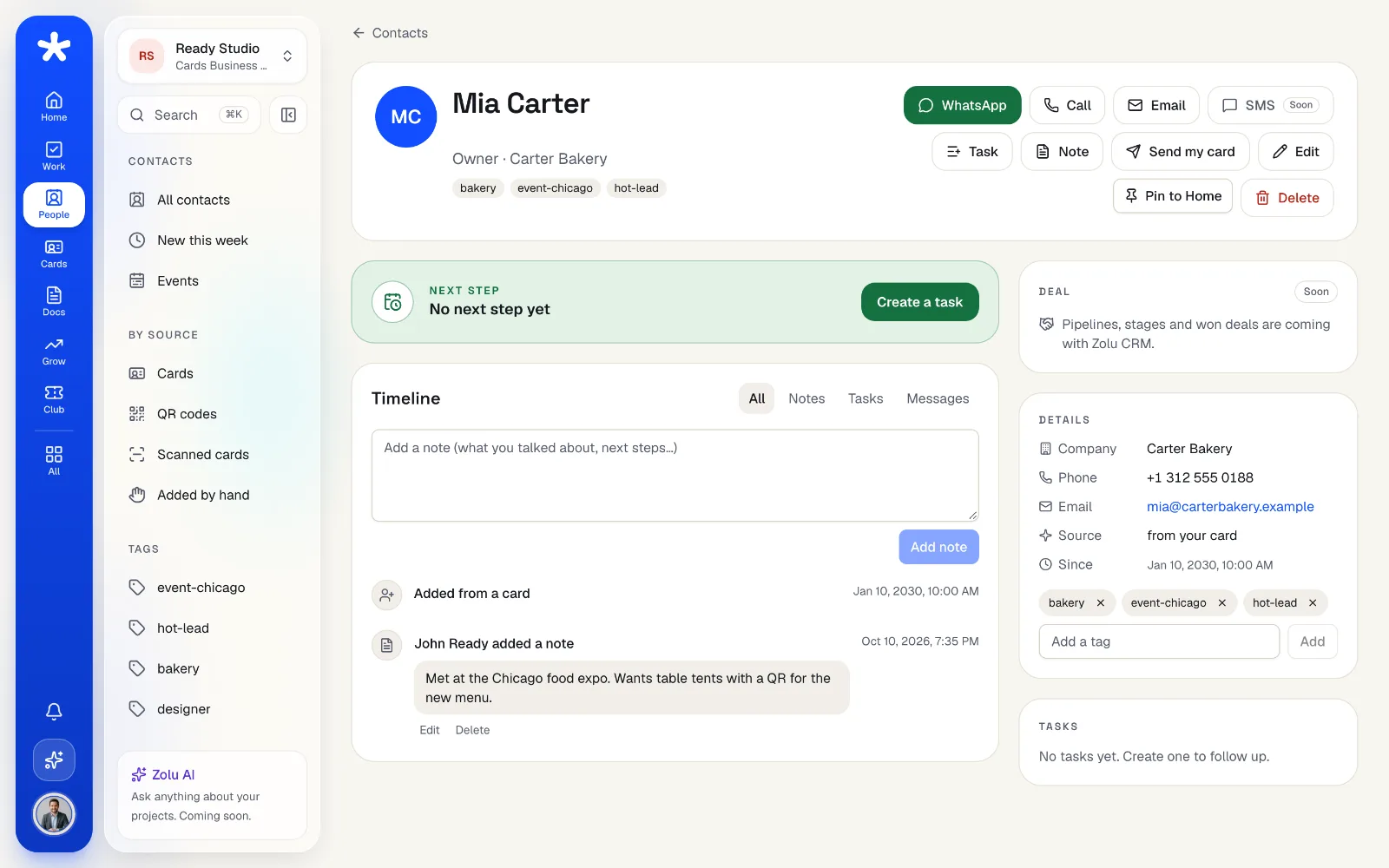
Every hello,
in one place.
Contacts keeps who they are, where they came from, your notes, tags and tasks. Search, filter and export anytime.
- Source: card, QR, scanned card or added by hand
- Notes, tags and linked tasks
- Export to CSV or .vcf, and merge duplicates
Your card,
in every inbox.
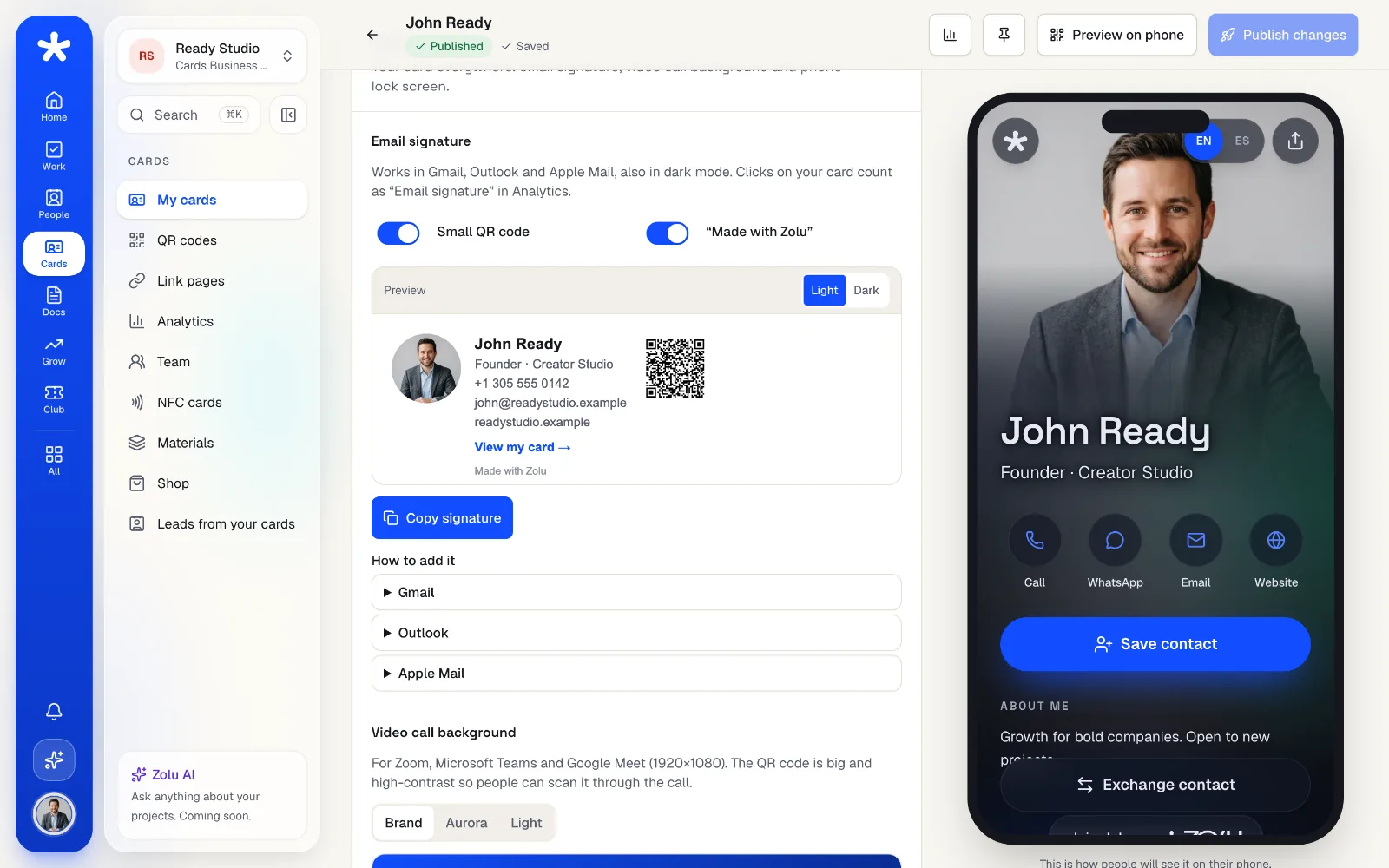
Copy an email signature that works in Gmail, Outlook and Apple Mail, and download a video call background and a lock screen with your QR code.
- Email signature with your photo and a small QR
- Background for Zoom, Teams and Meet (1920×1080)
- Lock screen for iPhone and Android
See how many,
when and from where.
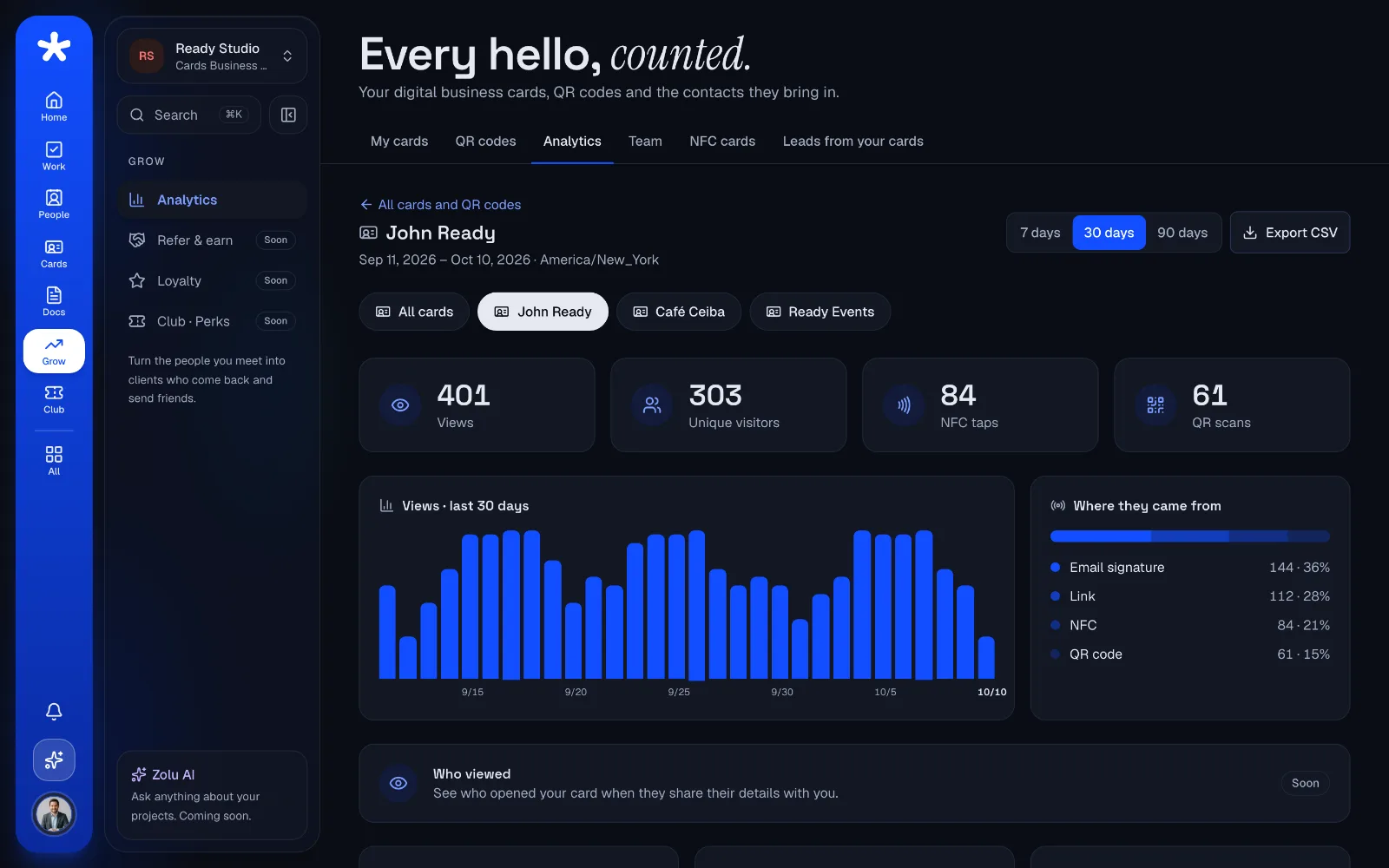
Visits by day, country, city and device, and where they came from: QR, NFC, link or your email signature. Bots and link previews don't count.
- 30 days of stats on Free, 365 with Pro
- Zolu never stores IP addresses
- Export everything to CSV
Everything in Zolu Cards.
- 1 personal card; business card and Link page with ProFree
- “Save contact” with your photo (.vcf)Free
- Exchange contact with a follow-up taskFree
- Email signature, video call background and lock screenFree
- Print-ready materials with your QR and logo: table sign, sticker, flyer, postcard and Instagram storyFree
- Your card in English and SpanishFree
- Visits and sources for 30 daysFree
- Works with the Zolu Card NFCFree
- Aurora, Cover and Minimal designsPro
- Featured button effects and an animated backgroundPro
- Verified by Zolu badgePro
- Remove “Made with Zolu” from your cardPro
- Scan paper cards with AI (5 a month on Free)Free
- Team cards with a locked company templateBusiness
“Free” means every plan. Pro includes everything in Free, and Business everything in Pro.
Your questions, answered.
Is it really free?
Yes. Free includes 1 personal card, 3 dynamic QR codes and 30 days of stats, with no credit card. Pro adds more cards, business cards and Link pages, premium designs and a year of stats.
Do people need an app to see my card?
No. Your card opens in any phone's browser at zolu.me/your-name, and people can save you to their contacts in one tap.
What happens when someone exchanges contacts with me?
They fill a short form on your card. They land in your Contacts with their details and a “Follow up with…” task for tomorrow, and you get a notice in your Inbox.
Can I change my card after I share it?
Anytime. Edit your card and publish the changes: your link and your QR codes stay the same.
Does it work with an NFC card?
Yes. The Zolu Card NFC opens your card with a tap. If you lose it, you can turn it off from the app.