
Back from the event,
with every contact followed up.
Share your card with a QR, a tap or from your phone's Wallet. People leave their details without installing anything, Zolu remembers where you met and Zolu AI drafts the follow-up.
Inside the app
Every step,
from the inside.
Real screens from the Zolu app with example data. Nothing here is a mockup.
Your card,
however you meet them.
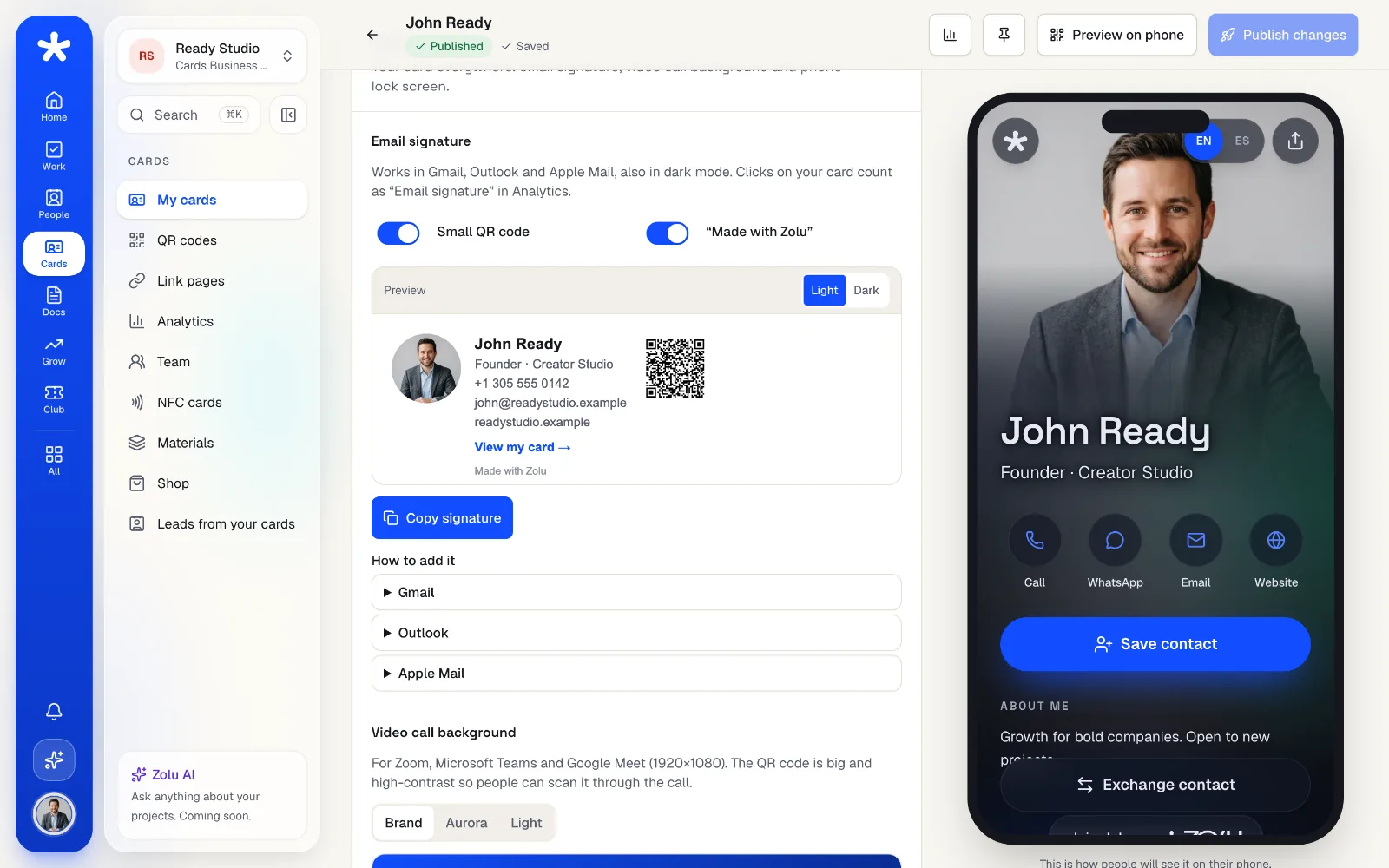
Your zolu.me card opens from a QR, a tap of your Zolu Card (NFC) or from Apple Wallet and Google Wallet. The share kit also puts it in your email signature and your video-call background.
- QR and NFC open the same card
- Your card as an Apple Wallet and Google Wallet pass
- Email signature, call background and lock screen
They leave their details.
No app needed.
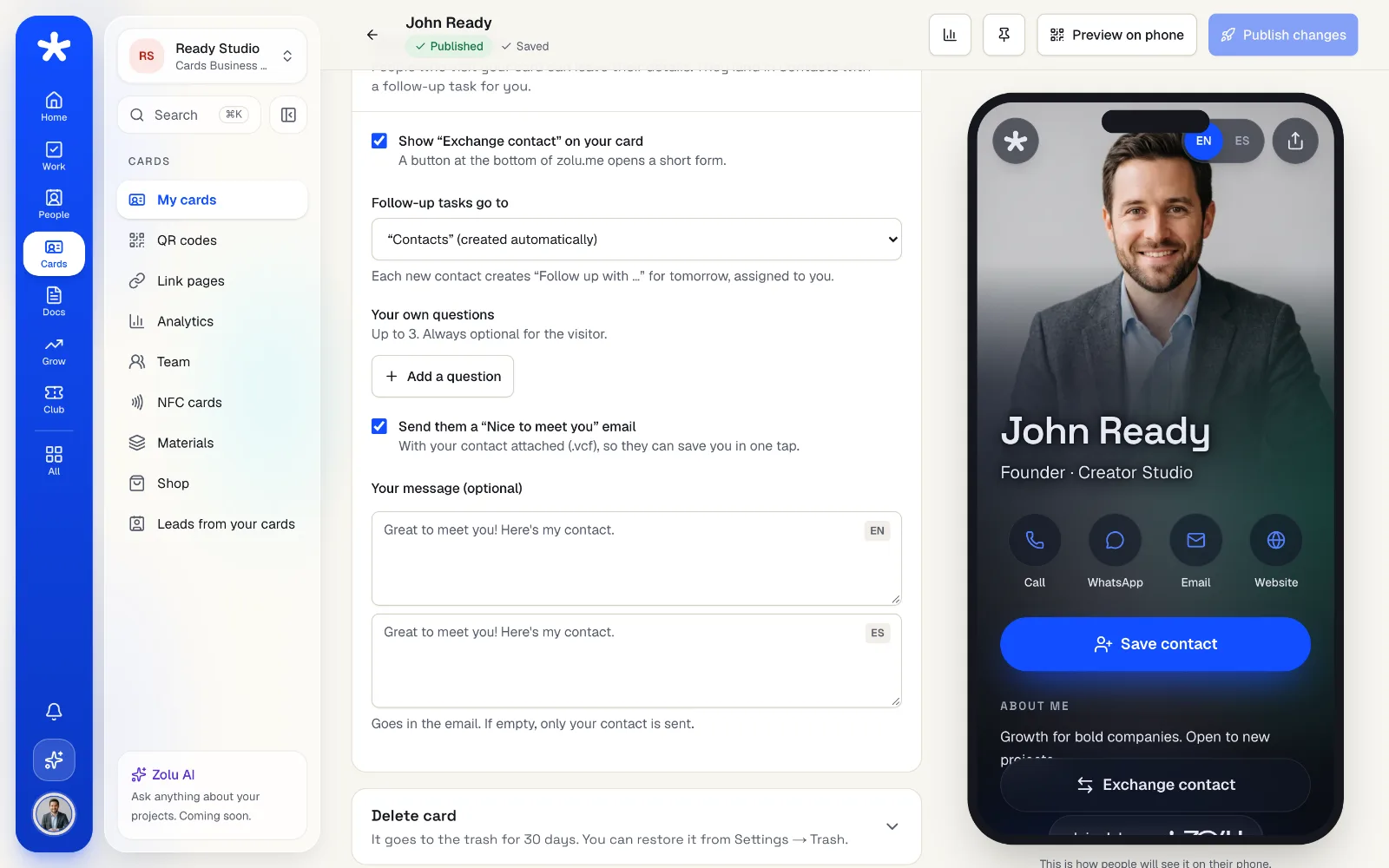
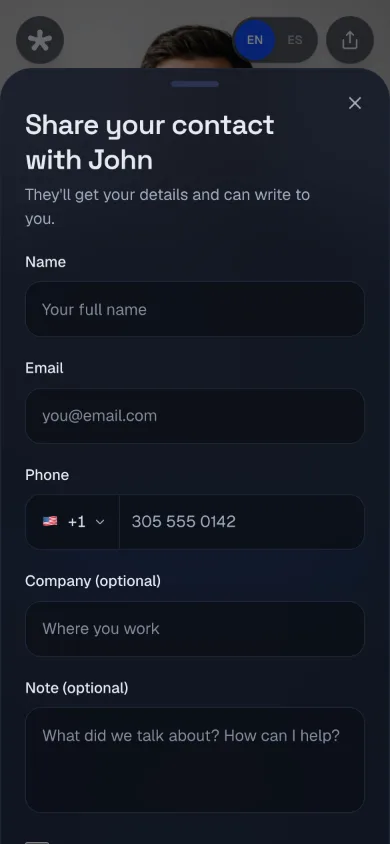
“Exchange contact” on your card opens a short form in their browser. They land in your contacts with the exact consent text they accepted, and you get a task to follow up.
- Nothing to install for the other person
- A “Nice to meet you” email with your contact
- Up to 3 questions of your own
Where you met,
saved on its own.
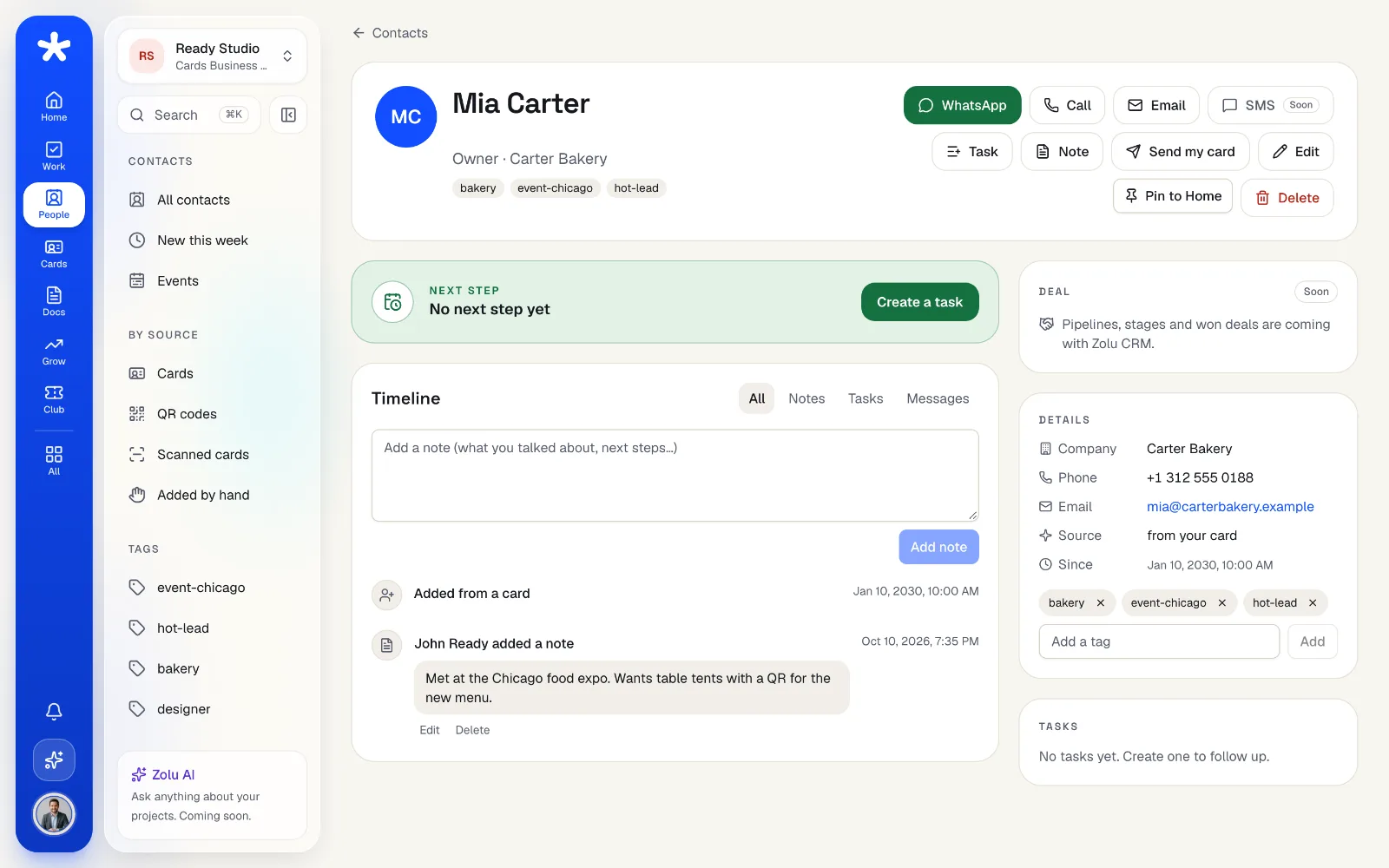
Every contact keeps the place and the date you met. Zolu fills them in from the card, the QR or the event the contact came from, and anything you write by hand stays as you wrote it.
- The date you met, filled in for you
- The place from your card, your QR or your event
- Edit it anytime, on every plan
Paper cards,
in a minute.
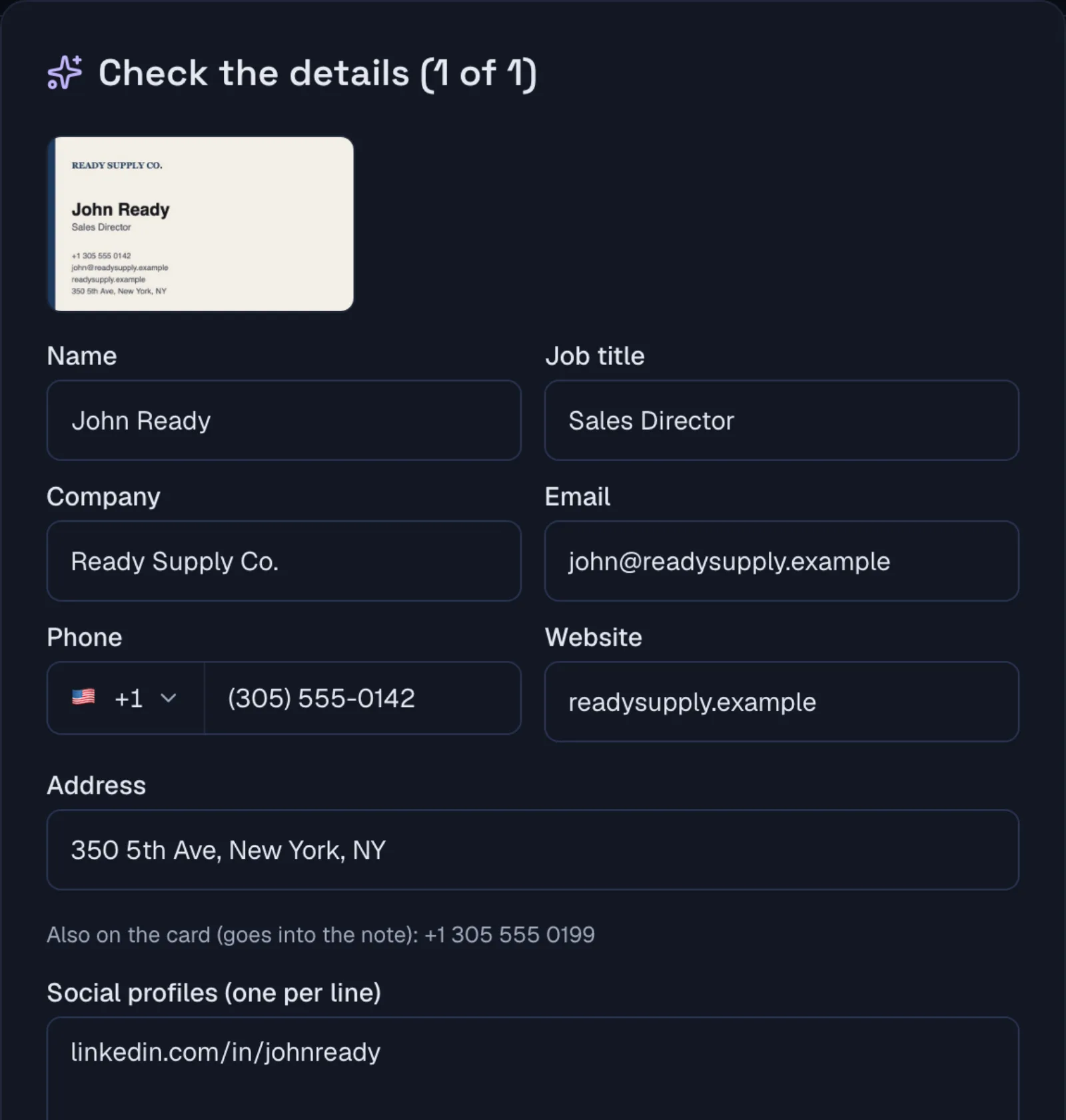
Take a photo of a business card and Zolu AI fills in the name, company, email, phone and links. Scan one after another and review them at the end.
- Front and back, one card after another
- Duplicate check before you save
- 5 scans a month on Free, 200 with Pro
Everything for your next event.
- A digital business card on zolu.me, freeFree
- Your card as an Apple Wallet and Google Wallet passFree
- Works with the Zolu Card (NFC)Free
- Exchange contact, no app neededFree
- Where and when you met, on every contactFree
- Scan paper cards with AI (5 a month on Free, 200 with Pro)Free
- Follow-up messages written by Zolu AI (3 a month on Free, 100 with Pro)Free
- “Send my card” by emailFree
- Event mode: hot, warm or cold for each contact, and every follow-up task in one clickPro
“Free” means every plan. Pro includes everything in Free, and Business everything in Pro.
Your questions, answered.
Is it free?
Yes. Your card, exchange contact, your contacts and where you met are on every plan, also Free. Free includes 5 AI card scans and 3 AI follow-ups a month; Event mode comes with Pro.
Does the other person need the app?
No. Your card opens in any phone's browser and “Exchange contact” is a short form right there. They don't need an account.
How do I follow up after a networking event?
Write within a day, while they still remember you. Zolu creates a follow-up task for every contact who leaves their details, and Zolu AI can draft the message. You review it and send it yourself from WhatsApp, your text messages or your email.
What is Event mode?
With Pro, you start an event and everything your team captures goes into it: hot, warm or cold for each contact, a quick note, and one click to create every follow-up task, hot ones first.
Are you organizing the event?
Zolu Events is for organizers: event pages, Apple Wallet and Google Wallet tickets and check-in at the door.
From hello
to done.
Your next hello lands in your contacts, with where you met and a task to follow up. Free, no credit card.